Interface preview
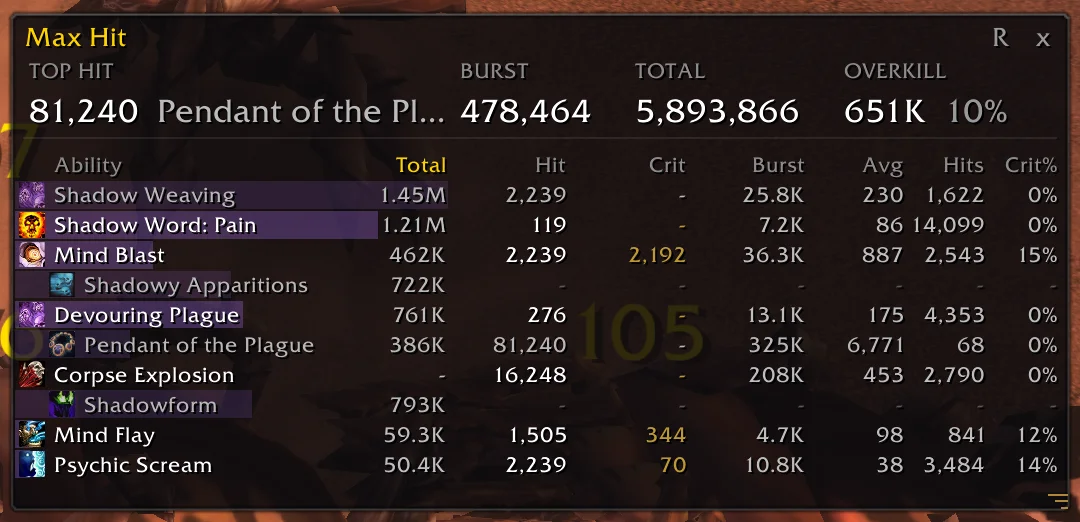
Author screenshot · GhoulCompiler/AZSMaxHit · Original on GitHub

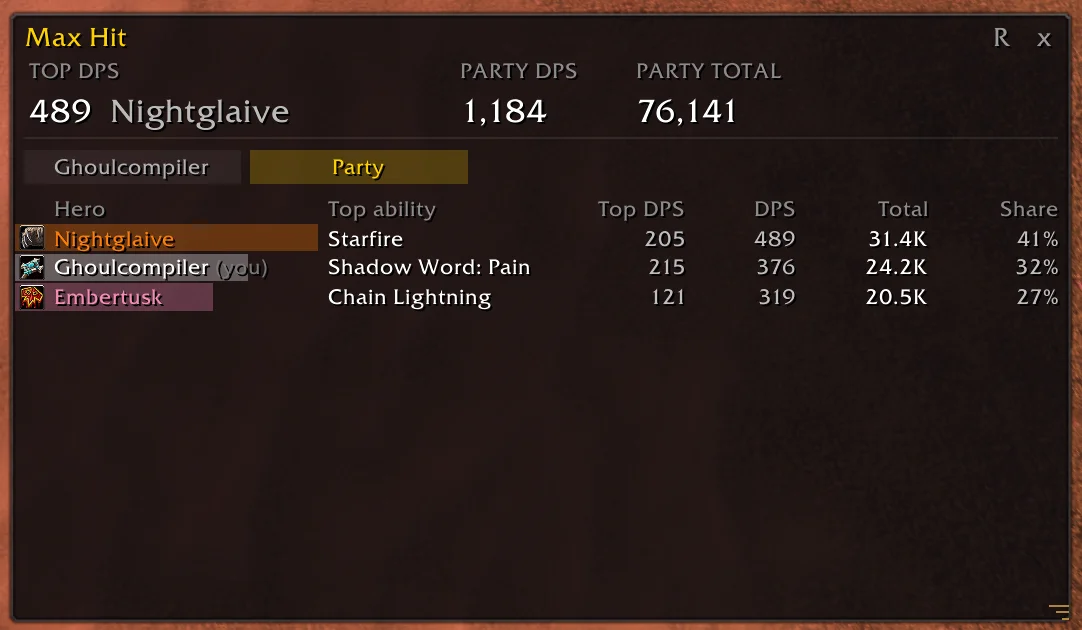
Author screenshot · GhoulCompiler/AZSMaxHit · Original on GitHub

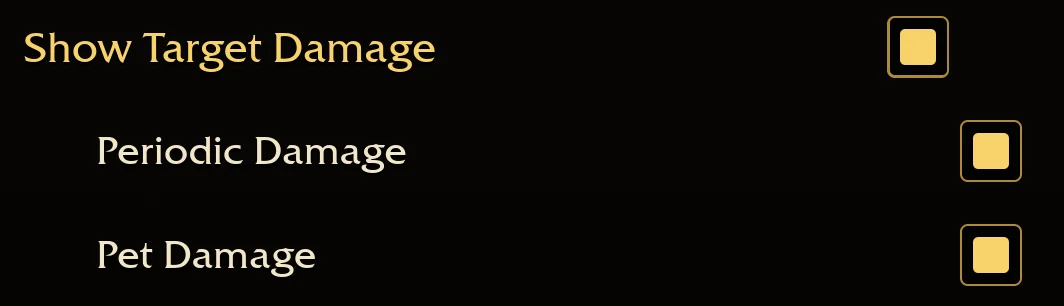
Author screenshot · GhoulCompiler/AZSMaxHit · Original on GitHub

Screenshots show the author’s published interface and may differ from later releases. We have not playtested the addon.
What is it useful for?
Use this alongside your usual damage meter when you care about the size of a hit or a short burst. A large total does not tell you the biggest single impact; the ability table separates hit, crit, burst and total, with a different native-meter view for the party.
- Sort abilities by total, largest normal hit, largest crit or best one-second burst.
- See summons separately and related talent/item procs beneath their triggering ability.
- Use /maxhit at to reveal when peak hits occurred; each new run starts fresh.
Get started after installation
Install the addon using its current repository instructions first. These steps follow the author’s documentation; check for changed commands or UI after an update.
- Install the release ZIP through Options → AddOns → Install AddOns in a browser. On desktop, use Open AddOns Folder and unpack so AddOns/AZSMaxHit/AZSMaxHit.toc exists.
- Enable Show Target Damage in Options → Combat. Enable Periodic Damage and Pet Damage if you want those sources included.
- Use /maxhit or /mh, then sort the ability columns. In co-op, the Party tab shows the native party meter rather than partner maximum-hit samples.
Useful tips & limitations
The author tested v0.135.1. Overkill is an estimate; partners’ individual hits are not sent to your combat log. Non-English log matching may need additional support.
- Each new run clears the window. Proc totals and individual-hit columns can use different sources; a dash means unavailable, not zero.
If a game update causes a problem, disable the most recently added addon and report the game version, addon version and exact error to its author.
Questions
What does AZS Max Hit do?
Inspect each ability’s biggest hit, critical hit and one-second burst, alongside its run total and a co-op party summary.
What should I know before using it?
The author tested v0.135.1. Overkill is an estimate; partners’ individual hits are not sent to your combat log. Non-English log matching may need additional support.
What has this guide verified?
This guide checked author documentation and public image material. We have not installed the addon or completed a current-patch gameplay test. Features and instructions are based on the author’s documentation.
Author & original sources
This is an independent fan guide, not the addon author or an official download host. Features and instructions are based on the project below; obtain packages through its author’s links.
- GhoulCompiler/AZSMaxHit — repository & README
- Author issue tracker
- Author announcement on Discord
- Author screenshot source — Ability breakdown showing totals, largest hits, critical hits and bursts.
- Author screenshot source — Party tab with an example party supplied by the author; these are demonstration values.
- Author screenshot source — Combat settings needed for target, periodic and pet damage reporting.
- Browser and desktop installation guide