Interface preview
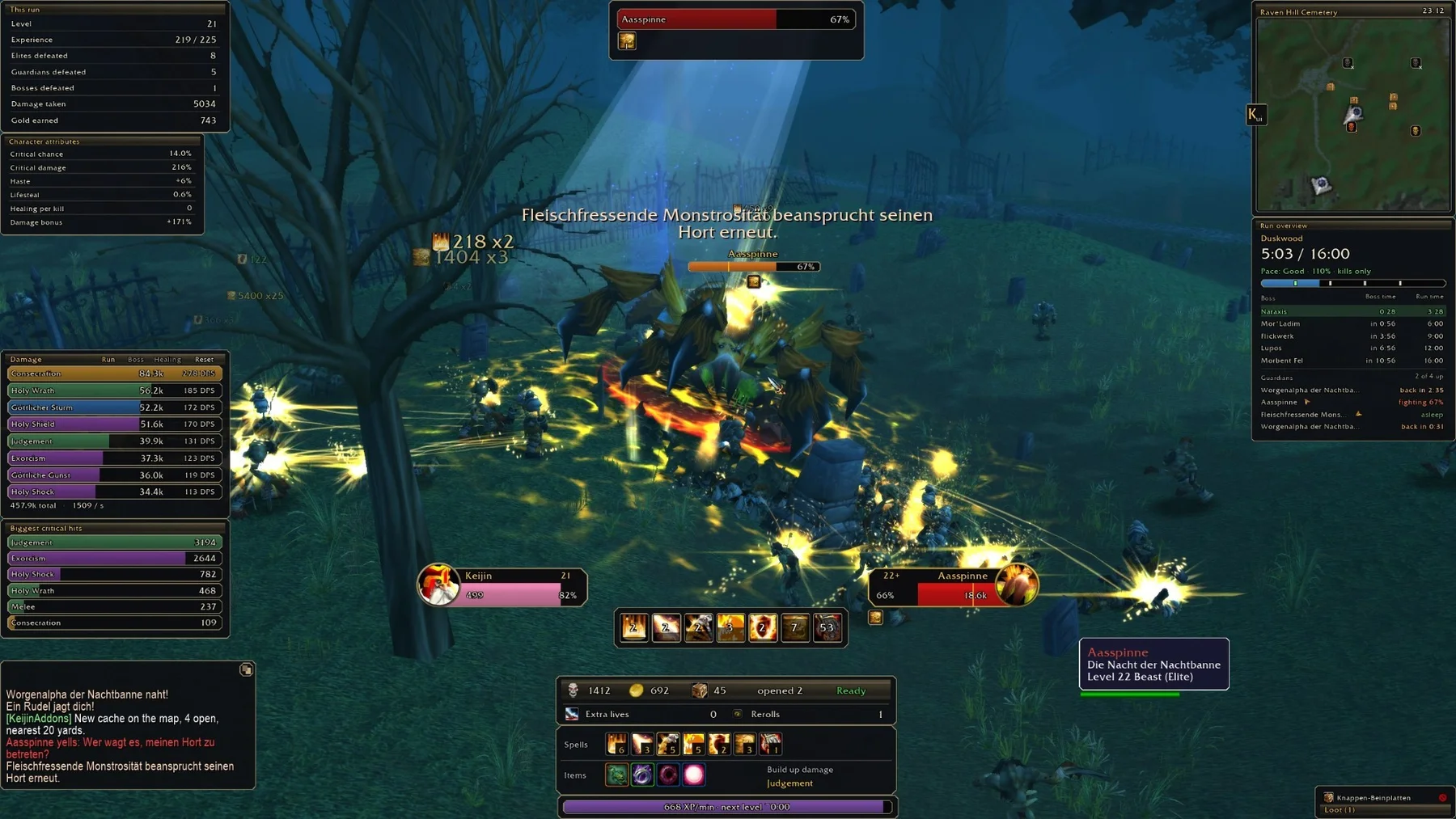
Author screenshot · KeijinDE/KeijinUI_modern-as-ui · Original on GitHub

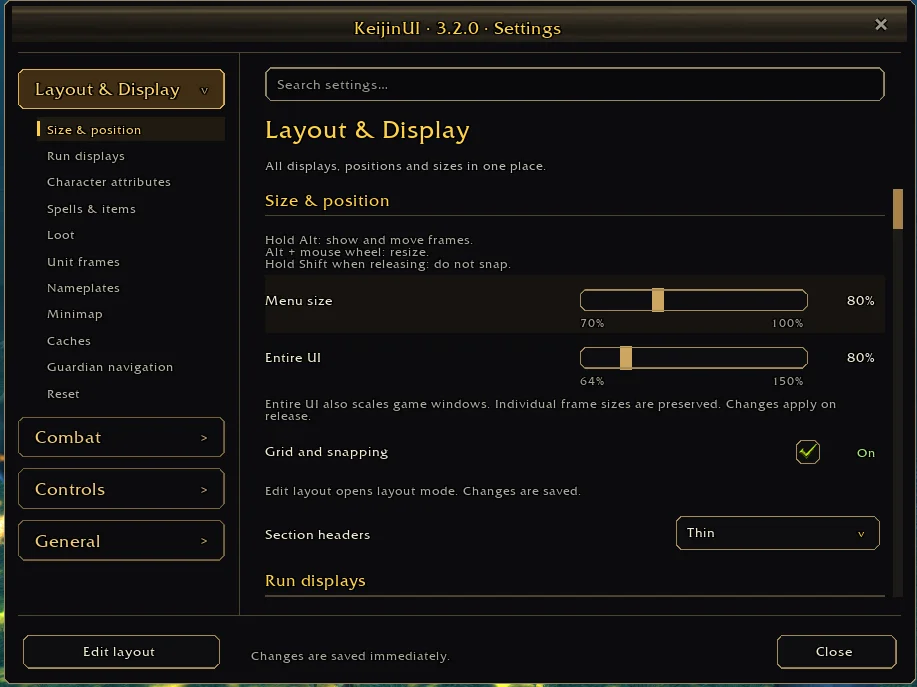
Author screenshot · KeijinDE/KeijinUI_modern-as-ui · Original on GitHub

Screenshots show the author’s published interface and may differ from later releases. We have not playtested the addon.
What is it useful for?
KeijinUI is a complete HUD for players who want their run information arranged in one consistent interface. It combines combat frames with map guidance, source-level meters and recorded runs, while letting you disable modules you do not use.
- Track the run clock, boss schedule, Guardian lairs and pace against matching previous runs.
- Choose character statistics, inspect damage/healing sources and browse a jewelry diary.
- Move and resize frames with layout controls, snapping and searchable settings.
Get started after installation
Install the addon using its current repository instructions first. These steps follow the author’s documentation; check for changed commands or UI after an update.
- Use KeijinUI-x.y.z.zip from Releases, not Source code. Unpack so AddOns/KeijinUI/KeijinUI.toc exists, then restart.
- Disable SurvivorsDragonUi, SurvivorUI, KeijinBuildBar, KeijinRunCounters and KeijinAchievements as instructed by the author.
- Open /kui and search settings. Hold Alt to drag frames; Alt plus mouse wheel resizes. /kui reset restores the default layout.
Useful tips & limitations
A full UI replacement. The author asks users to disable overlapping HUD addons and notes that only English and German translations were checked by hand.
- Language can be selected with /kui lang zh. A documented translation is not proof that every current game term is correct.
If a game update causes a problem, disable the most recently added addon and report the game version, addon version and exact error to its author.
Questions
What does KeijinUI do?
Combine movable HUD frames, combat meters, boss timing, Guardian directions, character statistics and a jewelry diary.
What should I know before using it?
A full UI replacement. The author asks users to disable overlapping HUD addons and notes that only English and German translations were checked by hand.
What has this guide verified?
This guide checked author documentation and public image material. We have not installed the addon or completed a current-patch gameplay test. Features and instructions are based on the author’s documentation.
Author & original sources
This is an independent fan guide, not the addon author or an official download host. Features and instructions are based on the project below; obtain packages through its author’s links.
- KeijinDE/KeijinUI_modern-as-ui — repository & README
- Author issue tracker
- Author announcement on Discord
- Author screenshot source — HUD overview with meters on the left, combat frames below and map/run guidance on the right.
- Author screenshot source — Layout and display settings, including scaling and grid snapping.
- Browser and desktop installation guide