What is it useful for?
Move UI changes the position or visibility of supported existing frames. It is a smaller-scope choice than a complete HUD replacement when you mainly want to rearrange the game’s own interface.
Screenshots & image sources
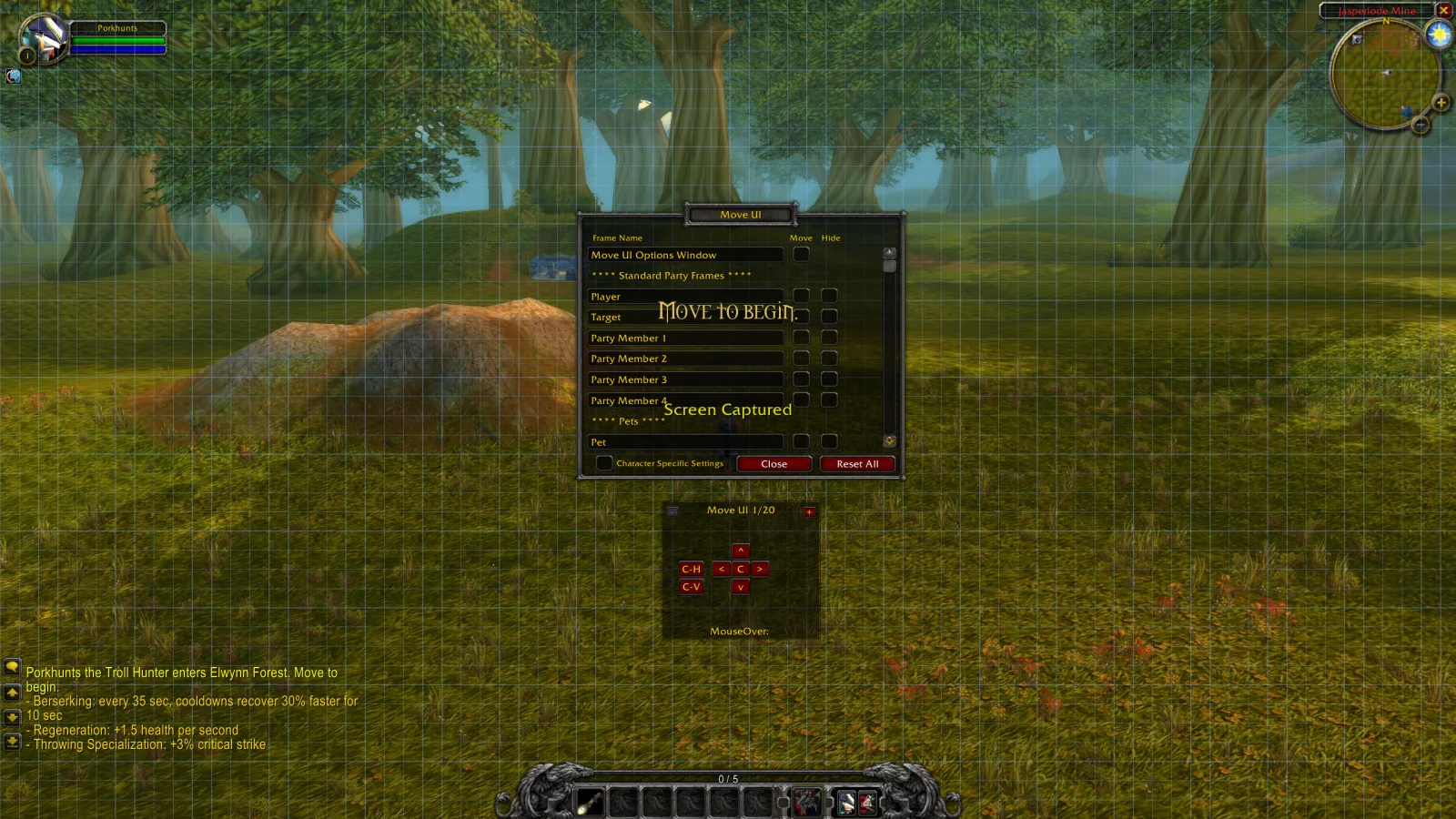

Shows the author’s published interface, not our test of the current patch. Open the image for a larger view.
Get started after installation
Install the addon using its current repository instructions first. These steps follow the author’s documentation; check for changed commands or UI after an update.
- Follow the author’s installation instructions: locate the MoveUI folder and place it in the game’s Interface/AddOns directory, with MoveUI.toc directly inside.
- Launch the game and type /move to open the options window.
- Select a supported interface frame and use the on-screen controls to move it or hide it where available. The alignment grid can help position elements.
- Use individual-frame reset controls when you need to undo positioning, and check the resulting layout because the author still lists reset geometry issues.
Useful tips & limitations
The author calls it work in progress and lists layout/reset issues. Follow its own installation instructions.
- The author labels the project as work in progress. Some frames can sit below the grid, and some legacy entries still need compatibility checks.
- The project aims to move complete UI assemblies rather than exposing all of their individual buttons.
- A clock is mentioned only as a possible future feature; it is not a current documented capability.
If a game update causes a problem, disable the most recently added addon and report the game version, addon version and exact error to its author.
Questions
What does Move UI do?
Move or hide supported UI frames, using an alignment grid and reset controls.
What should I know before using it?
The author calls it work in progress and lists layout/reset issues. Follow its own installation instructions.
What has this guide verified?
This guide checked author documentation and public image material. We have not installed the addon or completed a current-patch gameplay test. Features and instructions are based on the author’s documentation.
Author & original sources
This is an independent fan guide, not the addon author or an official download host. Features and instructions are based on the project below; obtain packages through its author’s links.