Interface preview
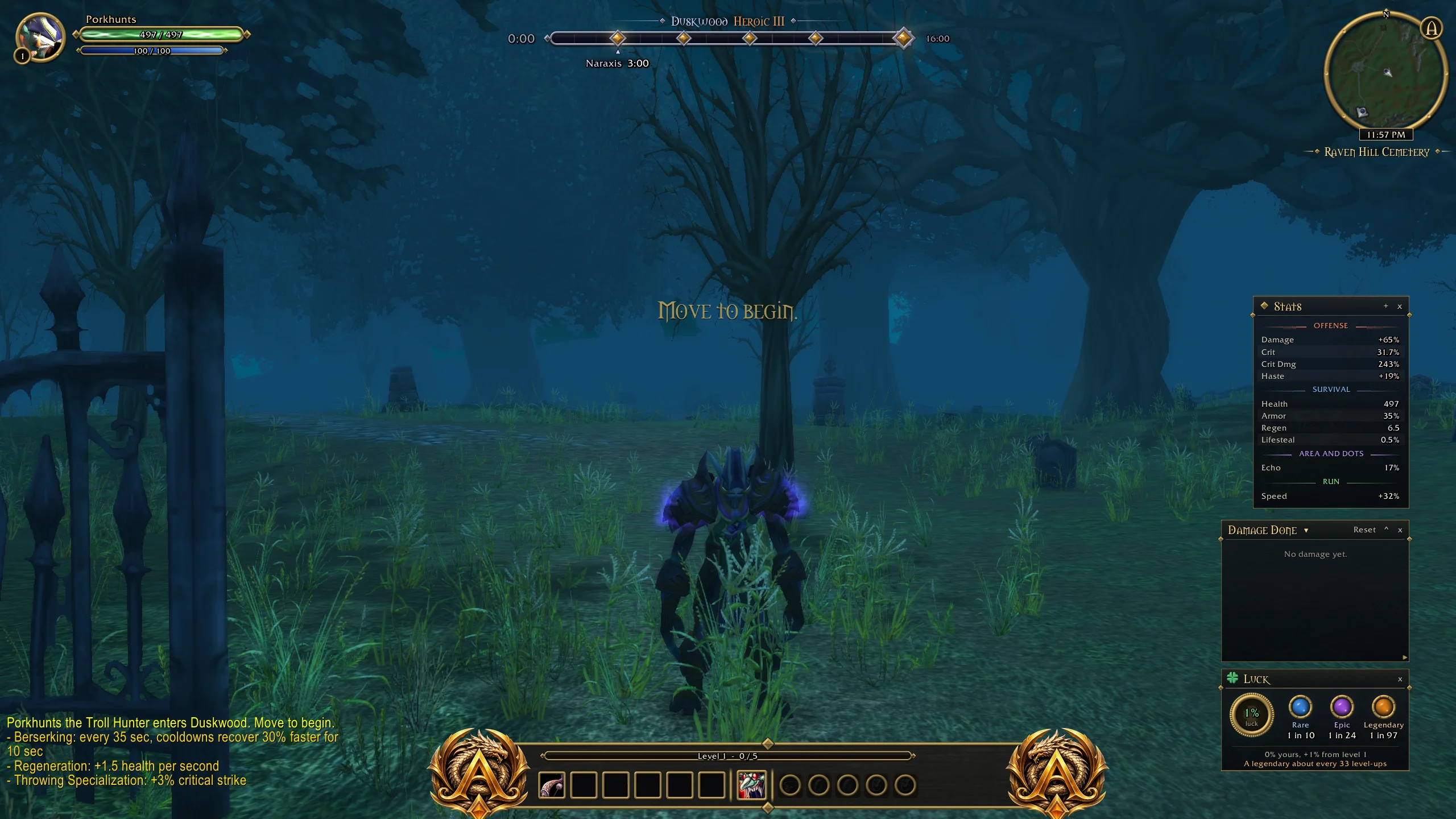
Author screenshot · JamieeLee/Arcane · Original on GitHub

Screenshots show the interface at the time the author published them; later releases may look different.
What is it useful for?
Arrange a themed HUD with three visual styles, boss and cache markers, co-op alerts, character stats and a damage meter.
Get started after installation
Install the addon using the current repository instructions, then follow the steps below. Commands and UI may change after an update.
- Download ArcaneV0.7.6.zip from the author release. The ZIP must contain Arcane/Arcane.toc; keep the folder named Arcane in the active game AddOns directory.
- Restart and open /Arcane, or click the A button on the minimap. Choose Classic Arcane, Hybrid or Full Class in Options.
- Use /Arcane move to arrange frames and /Arcane lock to finish. /Arcane reset restores their default places.
- Choose Boss skulls for the floating boss and gold cache markers. Use the Stored level-ups checkbox to change the game’s matching preference.
- Use /Arcane language <code> to select a language, or auto to follow the game. Preserve existing saved settings when updating.
Useful tips & limitations
v0.7.6 keeps a co-op result snapshot closed after dismissal and synchronizes Store Level-Ups with the game. Cache markers share the Boss skulls switch. Use one full HUD replacement at a time.
- Arcane supplies eleven languages including Chinese. Its native V key controls enemy nameplate visibility. Existing custom M bindings are preserved.
If a game update causes a problem, disable the most recently added addon and report the game version, addon version and exact error to its author.
Questions
What does Arcane UI do?
Arrange a themed HUD with three visual styles, boss and cache markers, co-op alerts, character stats and a damage meter.
What should I know before using it?
v0.7.6 keeps a co-op result snapshot closed after dismissal and synchronizes Store Level-Ups with the game. Cache markers share the Boss skulls switch. Use one full HUD replacement at a time.
Where can I find updates or report a problem?
Use the author’s repository and issue tracker linked below. Include your game version, addon version and full error message when reporting a problem.
Author & original sources
Features and instructions follow the author’s project below. Download addon packages through the author’s links.
- JamieeLee/Arcane — repository & README
- Author issue tracker
- Author announcement on Discord
- Arcane UI v0.7.6 release
- Arcane UI v0.7.6 README
- Jamie: v0.7.6 announcement and clarification
- Author screenshot source — Author repository preview: a Hunter in Heroic III Duskwood before movement begins, with the Arcane HUD, Stats, damage meter and Luck panels. The image is not a clear result.
- Browser and desktop installation guide