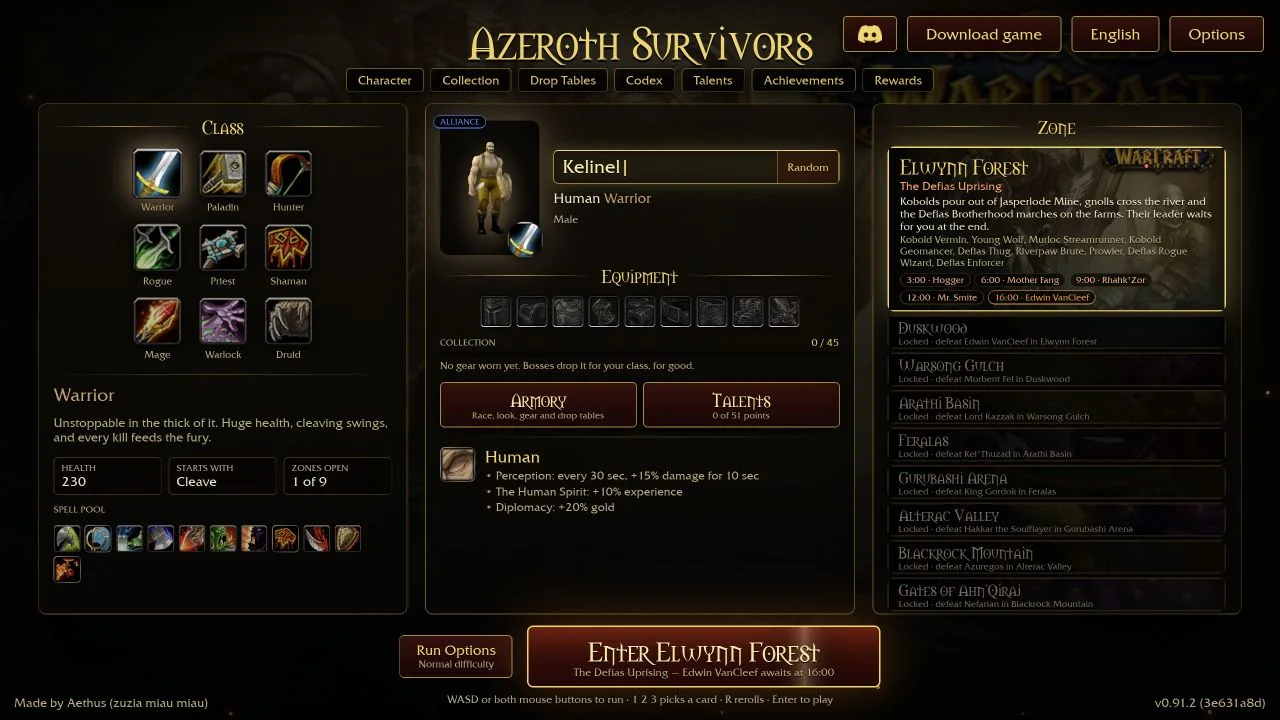
Azeroth Survivors keeps your progress in the browser you play in. If you switch computers, change browsers or clear site data, your progress does not come with you. The game can export that progress as a .sav file. Cloud Saves keeps a private copy of that file, so you can download it on another device and import it there.
Where your progress lives
The game runs on its developer’s site, wow.aethus.pl. It saves to that browser’s local storage for that address. It has no account or sync of its own, so two devices never share progress by themselves.
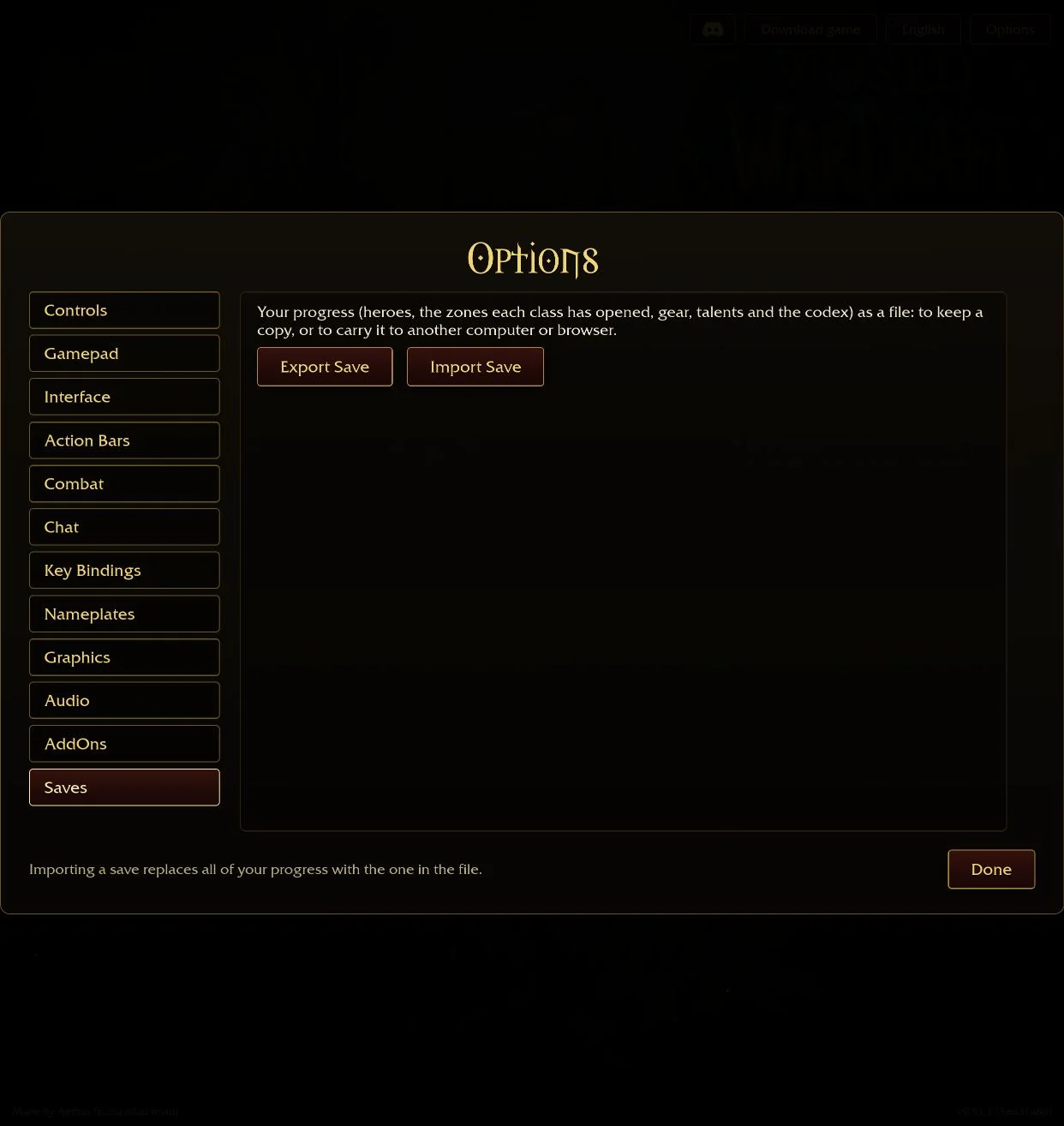
According to the game’s Saves screen, an export contains your heroes, each class’s opened zones, equipment, talents and Codex progress. Moving that one file moves all of it.
When a cloud backup helps
- Home and away: you play on a desktop at home and want the same heroes on a laptop.
- A new computer: you are replacing a machine or reinstalling the operating system.
- Another browser: you are moving from Chrome to Edge, for example, or to a different browser profile.
- Before a clean-up: you are about to clear site data, reset the browser or troubleshoot a black screen.
- Keeping milestones: you want a copy from before a risky change, alongside newer ones.
Emailing the file to yourself also works. A cloud backup keeps every copy, with its date, in one private list that you can open from any browser.
How to export your save and back it up
- Open the game at wow.aethus.pl in the browser where your progress is.
- Choose Options → Saves → Export Save. Your browser downloads a file such as
AzerothSurvivors 2026-10-20 18-30-05.sav. - Open Cloud Saves and sign in. A new player can request a six-digit email code; it also creates the account. You can set a password later; it needs at least 10 characters.
- Drop the
.savfile on the upload area, or choose it, then press Upload backup.
Each upload is stored as a separate backup. Uploading again never overwrites an older one.
How to import your save on another computer
- On the second device, sign in to Cloud Saves with the same email.
- Find the backup you want and press Download.
- Open the game at wow.aethus.pl in that browser. Choose Options → Saves → Import Save and pick the downloaded file.
- Read the confirmation, then accept it.
Importing replaces the progress already in that browser. It does not merge two saves. If the second device has progress you want to keep, export and upload it first.
Use two devices without losing progress
Cloud Saves stores backups; it does not synchronise. The game does not upload anything when you stop playing. A simple routine prevents most mistakes:
- Before you leave a device, export the save and upload it.
- On the next device, download the newest backup and import it before you play.
- Play on only one device at a time. Progress made on two devices at once cannot be combined. One of them will be replaced.
The backup list shows the newest first, with its date. You can also rename a file before uploading it, for example laptop 2026-10-20.sav.
Limits and privacy
- 25 MiB of storage per account, up to 5 MiB per file, and at most 100 backups. Delete old backups to make room.
- Only
.savfiles in the game’s export format are accepted. - Backups are private. Only your signed-in account can download or delete them; there are no public links.
- You need a verified email address. Codes expire after five minutes.
- The account page loads no analytics or session recording.
Cloud Saves is part of this independent guide site. It is not run by the game’s developer. Keep a local copy of an important save as well, and never post your save file publicly when you ask for help.
Played the game on our homepage before?
Until October 2026 our homepage showed the game inside a frame. Progress made there is stored separately from wow.aethus.pl. To move it, use Recover that save under the homepage play panel. The game shows a Download your save button when it finds progress there. Import that file on wow.aethus.pl, or upload it to Cloud Saves first.
Versions and other builds
Write down the game version shown in the menu next to an important backup. We have not tested whether a save moves between the browser game and the Windows download, or into a community reconstruction. If an import is rejected, keep the original file unchanged.
Questions
How do I transfer my Azeroth Survivors save to another computer?
On the first computer, open Options → Saves → Export Save. Move the .sav file with Cloud Saves, email or a USB drive. On the second computer, open the game at wow.aethus.pl and use Options → Saves → Import Save.
Does Azeroth Survivors have cloud saves?
The browser game saves in your browser only. You can export a .sav file from Options → Saves and keep it in Cloud Saves on this site, a private backup you can download on any device.
Do Cloud Saves sync automatically?
No. You export from the game and upload the file yourself, then download it and use Import Save on the other device.
Will importing a save merge my progress?
No. Importing replaces the progress already in that browser with the contents of the file.
How much can I store?
25 MiB per account, up to 5 MiB per file and at most 100 backups.
Is Cloud Saves official?
No. It is run by this independent guide site, not by the game’s developer.
Sources & scope
Cloud Saves limits and features were checked on this site’s account page on 20 October 2026. The game’s export and import steps were read from its Options → Saves screen and save helper. We have not tested importing a save between different game releases, or into the Windows download.