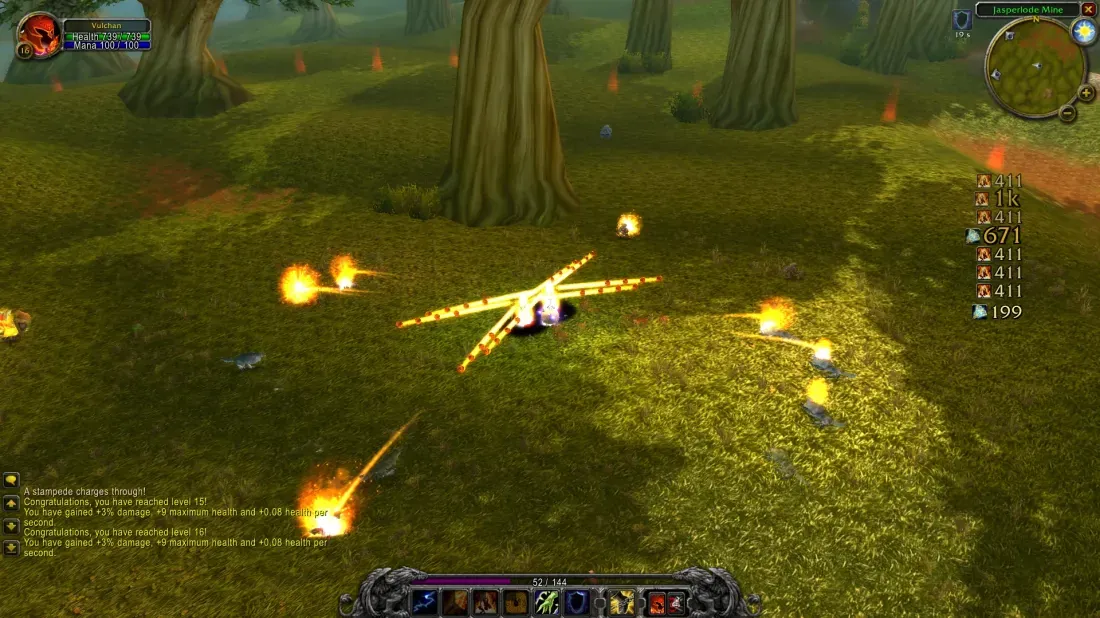
When hit numbers cover the fight, Vulchan’s Combat Text moves them into a compact strip you can place beside the action. The addon supports a vertical stack or a horizontal row, optional spell icons and an overall size control. Vulchan introduced it in Discord on 4 November 2026; the setup below follows the 0.4.14 release.
Install the release package
Download VulchansCombatText.zip from the v0.4.14 release in Sources. The package contains a VulchansCombatText folder with VulchansCombatText.toc and VulchansCombatText.lua.
- In the browser game, open Options → AddOns → Install AddOns, choose the ZIP directly and enable the addon. Start the next run to load it. The browser installer keeps addon files in that browser’s game-site storage.
- For a game installation using an
AddOnsfolder, close the game, extract the package and putVulchansCombatTextinsideAddOns, replacing the existing folder when updating. Launch the game and start a run.
The addon is standalone: its README says it does not load or alter Survivor UI. The addon installation guide covers ZIP errors and the game’s addon list.
Move the strip before adjusting its size
- Choose
/vct verticalfor a column or/vct horizontalfor a row. Vertical is the default. - Hold CTRL to reveal the outlined positioning area. Left-click and drag anywhere inside it; you do not have to catch a moving number.
- Release the mouse button to save the position. Position and layout persist between sessions.
- Try
/vct scale 75if the strip takes too much space, or/vct scale 125if you need larger numbers. After changing size, hold CTRL again and place the strip where it leaves the fight visible.
The positioning box follows the layout: tall and narrow for vertical, wide and shallow for horizontal. It accepts mouse input while CTRL is held, leaving normal gameplay clicks unaffected. Overall scaling changes numbers, icons, spacing and animation distance together.
Commands for a readable layout
| Command | What it changes |
|---|---|
/vct vertical/vct horizontal | Stack hits in a column or arrange them in a row. |
/vct scale 75/vct scale 100 | Set overall size to 75%, or restore 100%. Valid values are 50 to 200; the setting is saved. |
/vct icons on/vct icons off | Show or hide source spell icons. Use the plural icons. |
/vct iconsize 22 | Set the base icon size to 22. The command accepts 12 to 36; overall scale also applies. |
/vct test | Display sample hits to check placement while the addon is enabled. |
/vct on/vct off | Enable custom text, or disable it and restore the game’s previous floating-damage setting. |
/vct reset | Restore default placement, layout, number sizes, spacing, icon size and scale. |
While enabled, VCT suppresses the game’s native floating-damage display to avoid showing both streams. If another combat-text addon is active, disable one of the replacements before deciding where to place VCT.
Why some numbers have no icon
VCT looks up spell artwork in your spellbook. A hit can still appear without an icon when its spell is absent from the spellbook or the combat message does not identify the source. Incoming damage intentionally has no source icon in 0.4.14. Small hits show rounded whole numbers; larger hits use whole thousands, so 16,332 appears as 16k.
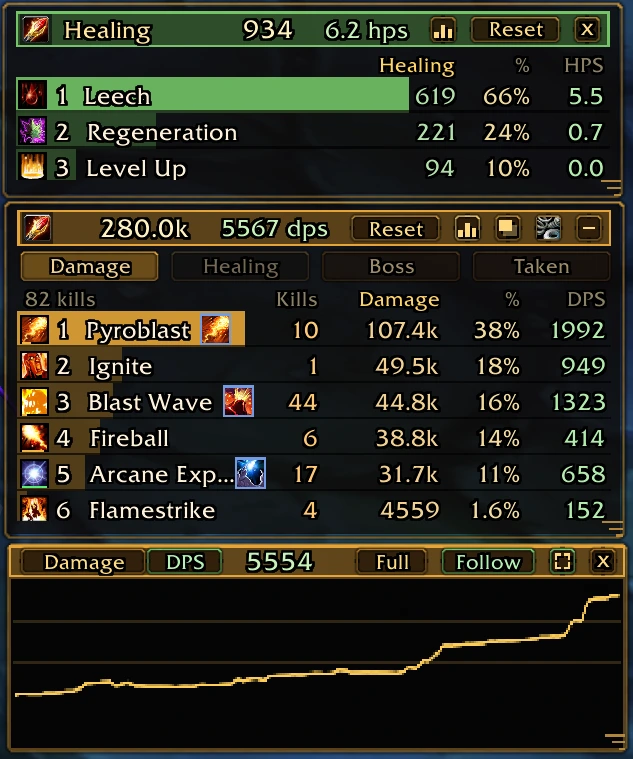
If the strip disappears after repositioning, use /vct reset, then /vct on and /vct test. Reset restores the layout; it does not turn a disabled addon back on. For detailed spell totals and DPS windows, use the separate AZS Spell Meter guide.
Small-hit filtering is still a request
Merc asked on 4 November for an option to hide or combine hits below a threshold, citing Frost Trap and Rain of Fire ticks in builds that invest little in them. Vulchan replied that they were unsure whether it was possible and would look into it. Version 0.4.14 has no threshold command; its controls change placement and presentation.
Sources & scope
Vulchan’s 4 November 2026 Discord announcement and reply; the 0.4.14 release, README and command source at commit 728776d; the original browser addon installer.
- Vulchan: addon announcement and original screenshot, 4 November 2026
- Vulchan’s Combat Text v0.4.14: release and VulchansCombatText.zip
- Vulchan’s Combat Text 0.4.14 README: moving, layouts, scaling and icons
- Vulchan’s Combat Text source: commands, number formatting and native-text restoration, commit 728776d
- Original browser game: addon ZIP installer
- Merc: request for a small-hit threshold, 4 November 2026
- Vulchan: reply to the threshold request, 4 November 2026